Pet Cameras Explained: What Each Feature Does and Do You Need It
A good pet camera sees the spots your pet actually uses, works on your Wi-Fi and stores clips the way you like. Here is what each feature does and who needs it.
In short
- Start with the room: a fixed wide-angle camera suits one open space, while a pan and tilt camera suits a room with corners or a pet that wanders.
- Treat tossing is fun for food-motivated dogs and cats, but only if your pet's treats fit the chute, so check the listed treat size before you buy.
- Many pet cameras connect only to 2.4 GHz Wi-Fi, so check your router's band before you set one up.
- Local SD card storage keeps clips at home, while cloud storage keeps them online and may need a paid plan, so check the listing for any plan.
- Use a strong, unique password, keep the firmware updated and switch the camera off or cover the lens when you are home.
A pet camera is a small indoor Wi-Fi camera you watch from a phone app. The right one for you depends on three things: the room your pet spends the day in, what you want to do from your phone (just watch, talk, or toss a treat), and how you want clips saved. Everything else on the box is a nice extra. Here is what each feature actually does, in plain words, and who it is for.
Interest is climbing too: Google Trends shows searches for "pet camera" in the United States up 18% over the last four weeks compared with the four before, with "best pet camera" and "dog camera" among the top related searches. If you are one of those searchers, lovely, let's make the choice easy.
Field of view and pan and tilt: can it see where your pet goes?
Field of view is how wide the picture is, measured in degrees. A fixed camera with a 110 to 160 degree view covers most of one open room from a corner. Pan and tilt means a small motor turns the lens left and right (pan) and up and down (tilt) when you swipe in the app, so one camera can look around a room with an L-shaped sofa, a kitchen nook or a crate tucked behind a door. Several on our shelves turn about 355 degrees side to side and around 100 degrees up and down.
Choose a fixed wide view if your pet mostly naps in one spot and you like a simple, quiet device. Choose pan and tilt if your dog patrols the whole floor or your cat moves between window seats.
Cameras that look around the room
Pan and tilt models you can steer from the app.


Night vision: do you need it?
Yes, if you are ever away after dark. Most pet cameras switch to infrared night vision automatically when the room gets dim: small infrared lights you cannot see light the room, and the picture turns black and white. Some models offer colour night vision, which needs a little ambient light such as a lamp or streetlight through the window. Infrared light bounces off glass, so never point a camera through a window or the glass of a cabinet door.
Two-way audio, video calling and treat tossing
Two-way audio puts a microphone and a small speaker in the camera, so you can hear the room and say hello. Try it from the next room first and watch how your pet reacts. A few cameras, like the one with a small screen on the front, go further with one-touch video calls so your pet can see your face.
Treat tossing is the feature that makes a pet camera feel like play. You tap a button in the app and the camera flings or drops a treat. It works best for food-motivated dogs and some cats, and it pairs nicely with the routine ideas in our guide on how to keep a dog busy while at work. Count the treats you toss as part of the day's food, and ask your vet how many treats suit your pet.
Cameras that toss a treat
Check each listing for the treat size it takes.


A rotating camera with a treat chute
This tall white camera turns a full circle on its base and tosses small treats from a chute under the lens, so one device covers looking around, talking and treats. It also connects to either 2.4 GHz or 5 GHz Wi-Fi.
- 360 degree view with auto tracking
- Two-way talk and motion alerts
- Takes a memory card or uses short cloud storage; check the listing for any plan
Barking, meowing and motion alerts
Alerts send a notification to your phone when the camera notices something. Motion alerts fire when something moves in the picture; sound alerts fire on noise; some cameras try to tell barking or meowing apart from other sounds, or a person from a pet. Motion tracking (auto tracking) means a pan and tilt camera follows the moving shape so your pet stays in frame.
Alerts are handy, but a lively pet can trigger dozens a day. Start with alerts on for a weekend, then turn down what you do not need. An alert tells you something happened; it cannot tell you why, so if barking or pacing worries you, talk it through with your vet.
Storage: SD card, cloud and subscriptions
A camera can show live video without saving anything. Saving clips is where the choices start.
| Storage | How it works | Good to know |
|---|---|---|
| Local SD card | A memory card inside the camera records clips at home | No online account for clips; if the camera is taken or the card fills, clips are lost or overwritten |
| Cloud storage | Clips upload to the maker's servers and play back in the app | Viewable even if the camera is unplugged; often needs a paid plan, so check the listing for any plan |
| Live view only | Watch in real time, nothing saved | Simplest and most private, but no way to look back |
Some cameras include a few days of free cloud history, and some smart features sit behind a plan, so check the listing for any plan before you decide.
Wi-Fi band: why 2.4 GHz matters
Home Wi-Fi usually broadcasts on two bands. 2.4 GHz reaches farther and through walls; 5 GHz is faster over short distances. Many pet cameras connect only to 2.4 GHz, while dual-band models connect to either; if setup fails, check whether your router offers a separate 2.4 GHz network. Put the camera within good reach of the router; a weak signal means a frozen or blurry picture.
Placement: height, angle and cords
- Pick the spot your pet uses most: the bed, the crate, the water bowl or the window seat.
- Mount or set the camera about 3 to 5 feet up, angled slightly down, so it sees the floor and your pet's whole body.
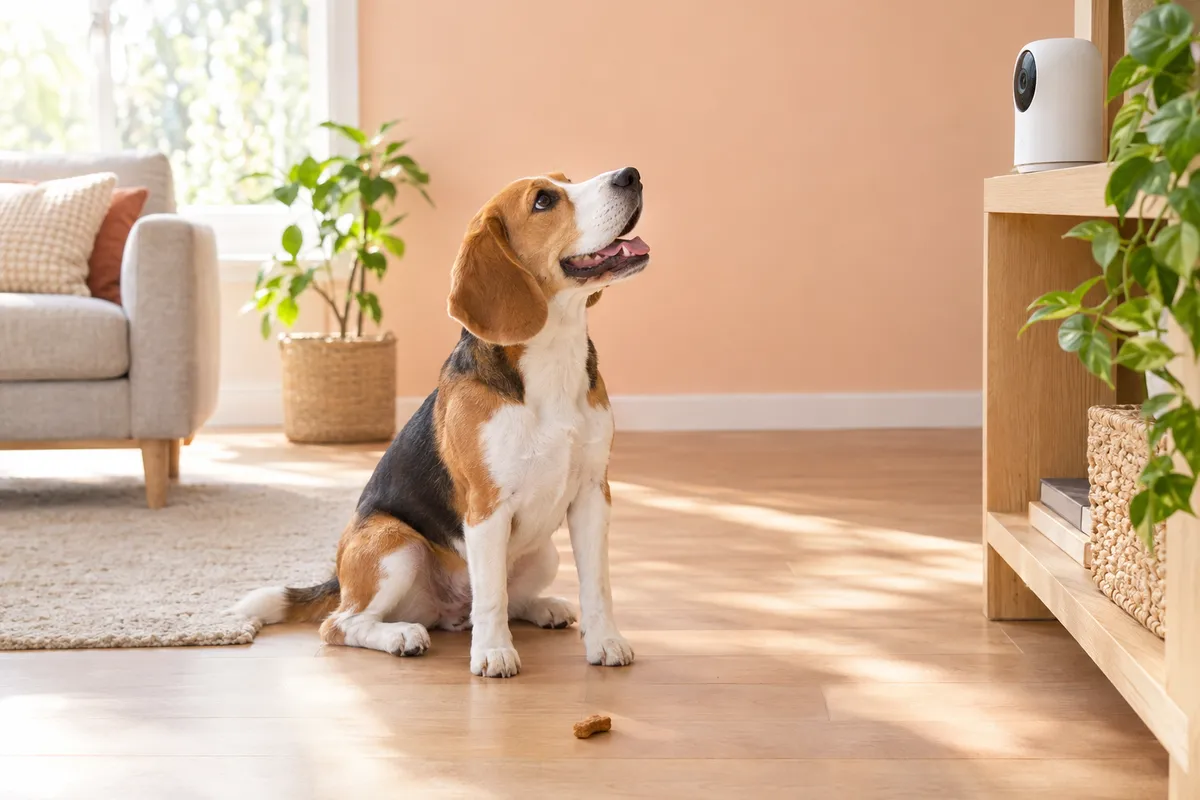
- Keep it out of reach of paws and noses, and on a stable surface. A treat camera on the floor is fine only if it is heavy and steady enough for your pet.
- Route the power cord behind furniture or through a cord cover so no one chews it.
- Avoid pointing straight at a bright window; the camera will darken everything else in the picture.
Privacy basics
A camera in your home is worth a few minutes of care. Use a strong, unique password for the app account and switch on two-step sign-in if the app offers it. Install firmware updates when the app asks; they fix bugs and security gaps. Switch the camera off, or use a privacy shutter or lens cap, when you are home. Some cameras have one built in; one model on our shelves has an automated privacy shield that slides over the lens.
Simple fixed cameras for one room
Wide views, easy setup.


Cat setups vs dog setups
Dogs tend to stay on the floor and near the door, so one camera at mid-height covering the living area and the crate works well; treat tossing is a bigger draw for most dogs. Cats climb, so aim for a higher spot that sees shelves, cat trees and the window perch, and favour pan and tilt or a wide view. Many cats ignore tossed treats or find the noise surprising, so introduce it gently. A small cat-shaped camera, like the mouse-faced one below, sits happily on a shelf. If you also want to check mealtimes, an automatic feeder with a built-in camera can do both jobs; see our automatic cat feeder guide.

A shelf-sized camera for cats
This little camera is shaped like a white mouse with round ears and sits on two flat feet, so it looks at home on a bookshelf. It has 1080p video, infrared night vision, two-way audio and motion detection.
- Small enough for a shelf or cat tree ledge
- Wired power, so no batteries to watch
You can see every camera we carry in dog tech and smart home, or browse all pet cameras.
Questions people ask
Do I really need a pet camera?
Not everyone does. A camera is most useful if your pet is home alone for several hours, if you want to check a new puppy or kitten, or if you simply enjoy saying hello during the day.
Do pet cameras need a subscription?
Live view usually works without one. Saved cloud clips and some smart alerts often need a paid plan, while others record to an SD card at home. Check the listing for any plan before you buy.
Can a pet camera work on 5 GHz Wi-Fi?
Some can, many cannot. Plenty of pet cameras connect only to 2.4 GHz, while dual-band models work with 2.4 GHz or 5 GHz.
Is a treat-tossing camera good for cats?
It can be, for food-motivated cats who are not bothered by the sound. Pick small, dry treats that fit the chute, introduce it while you are home, and count tossed treats as part of the day's food. Ask your vet how many treats suit your cat.
Where is the best place to put a pet camera?
Near the spot your pet spends the most time, about 3 to 5 feet up and angled slightly down, within good Wi-Fi reach and out of reach of paws. Avoid pointing it at a bright window.
About the numbers
- Google Trends, United States, past 90 days, read 2026-10-08: "pet camera" search interest up 18% over the last four weeks vs the four before; peak on 20 September 2026; top related searches include "best pet camera" and "dog camera"